How to Link Your NIN to Your SIM Card in Sierra Leone Before the November 1 Deadline
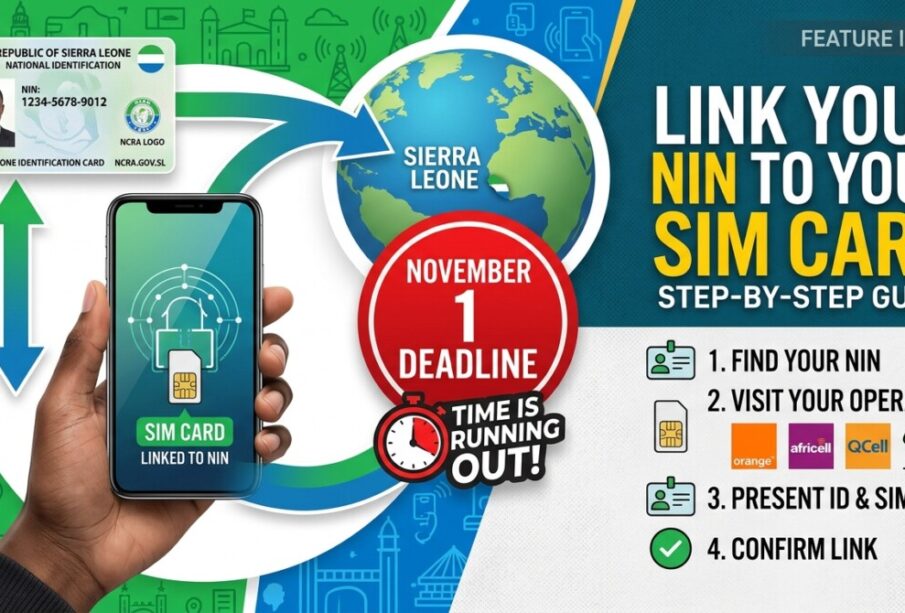

Mobile phone users in Sierra Leone have until November 1, 2026, to link their National Identification Number (NIN) to their SIM cards under the country’s subscriber registration requirements.
The process is intended to connect mobile phone numbers to verified identity records held by the National Civil Registration Authority (NCRA).
Subscribers can use the registration services offered by their mobile network operators, including Africell, Orange and QCell. The linking process is free, although the steps differ by network.
Here is how subscribers can complete the process.
How to link your NIN to an Africell SIM
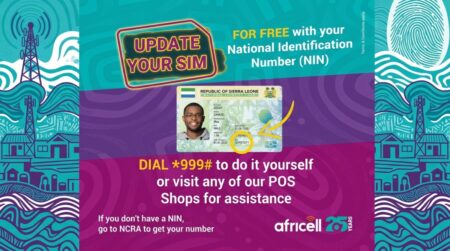
Directives of how to connect NIN with Africell sim
Africell subscribers can use the network’s USSD registration service.
- Dial *999# on your Africell phone.
- Enter your National Identification Number when prompted.
- Enter your four-digit year of birth, such as 1990.
- Submit the information and wait for a confirmation message.
Make sure the NIN and year of birth match the information on your national identity record.
How to link your NIN to an Orange SIM

Directives of how to connect NIN with Orange sim
Orange subscribers can complete the process using a USSD code or the Orange Max it application.
Using USSD:
- Dial *999# on your Orange SIM.
- Select option 4 for NCRA Registration.
- Select 1 to proceed.
- Enter your National Identification Number.
- Enter your year of birth.
- Submit your details and wait for an SMS confirmation.
The menu options may change, so follow the instructions displayed on your phone if they differ.
Using the Orange Max it app:
- Open the Max it application.
- Tap the menu icon in the upper-left corner.
- Select NIN Registration.
- Enter your mobile phone number.
- Enter your National Identification Number.
- Enter your year of birth.
- Take a photograph of yourself or upload an image if the application requests one.
- Tap Validate to submit the registration.
Wait for confirmation that your details have been accepted.
How to link your NIN to a Qcell SIM
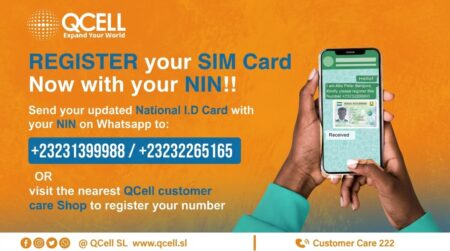
Directives of how to connect NIN with Qcell sim
QCell subscribers have several possible ways to complete or check their registration.
Through customer support: Contact QCell using its official customer service channels to request the current NIN registration procedure.
Using USSD: Dial *999# on your QCell line to check whether a registration or status-check option is available.
At a service centre: Visit an official QCell customer care office with your national identity card and request assistance linking your NIN to your SIM.
QCell subscribers may also encounter WhatsApp-based registration assistance. However, they should verify any WhatsApp number directly with QCell before sending a photograph of their national identity card.
What if you do not have a NIN?
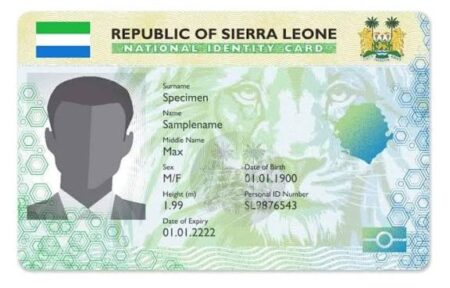
NCRA sample National Identity Card
Subscribers who do not know their NIN or whose identity details are incorrect should contact the NCRA for guidance.
People who have not completed the necessary civil registration procedures may need to resolve their identity records before linking their SIM cards.
A subscriber whose year of birth or other details do not match the NCRA record may also experience difficulties completing the process.
What happens if you miss the deadline?

An illustration of how unregistered sims are locked.
Subscribers whose SIM cards remain unlinked after the November 1 deadline risk restrictions or disconnection, subject to the implementation arrangements announced by the relevant authorities and mobile network operators.
Because SIM cards are used for mobile money, banking notifications, business communications and personal contacts, subscribers should complete their registration early enough to resolve any problems.
Is NIN-to-SIM linking free?
The NIN-to-SIM linking process is free. Subscribers should not pay anyone who claims they can guarantee registration or prevent disconnection.
They should also avoid sharing one-time passwords, mobile money PINs or other sensitive account information with people offering registration assistance.
The safest approach is to use your network’s official USSD service, mobile application or customer care centre and retain any confirmation message you receive.







-
ECOWAS Allocates $1.2 Million to 12 Countries for Development in Border Communities
The Economic Community of West African States (ECOWAS) has allocated $1.2 million ... -
-
-